

Create high-converting Etsy product photos with PicForge
Scale your Etsy shop sales with professional, consistent product photography. Learn how PicForge helps you apply custom branding and marketplace-compliant formatting across your entire catalog in seconds.

How PicForge optimizes your Etsy product listings

Product photos that boost click-through rates and sales
Etsy shoppers evaluate listings in split seconds. With PicForge’s AI background generator, you can instantly turn raw product shots into styled, market-ready photos using text prompts. Place ceramics on a rustic kitchen counter or showcase jewelry in a velvet gift box. Add natural AI shadows for realistic depth, and use AI expand to perfectly frame images for Etsy listing search results.
Studio-quality product photography without expensive shoots
Skip the hassle and expense of booking commercial photoshoots. With PicForge, a single smartphone photo becomes a versatile set of marketing assets. Use our AI background remover to isolate products, generate custom lifestyle settings via text prompts, and utilize the image resizer to instantly meet Etsy’s recommended image dimensions.
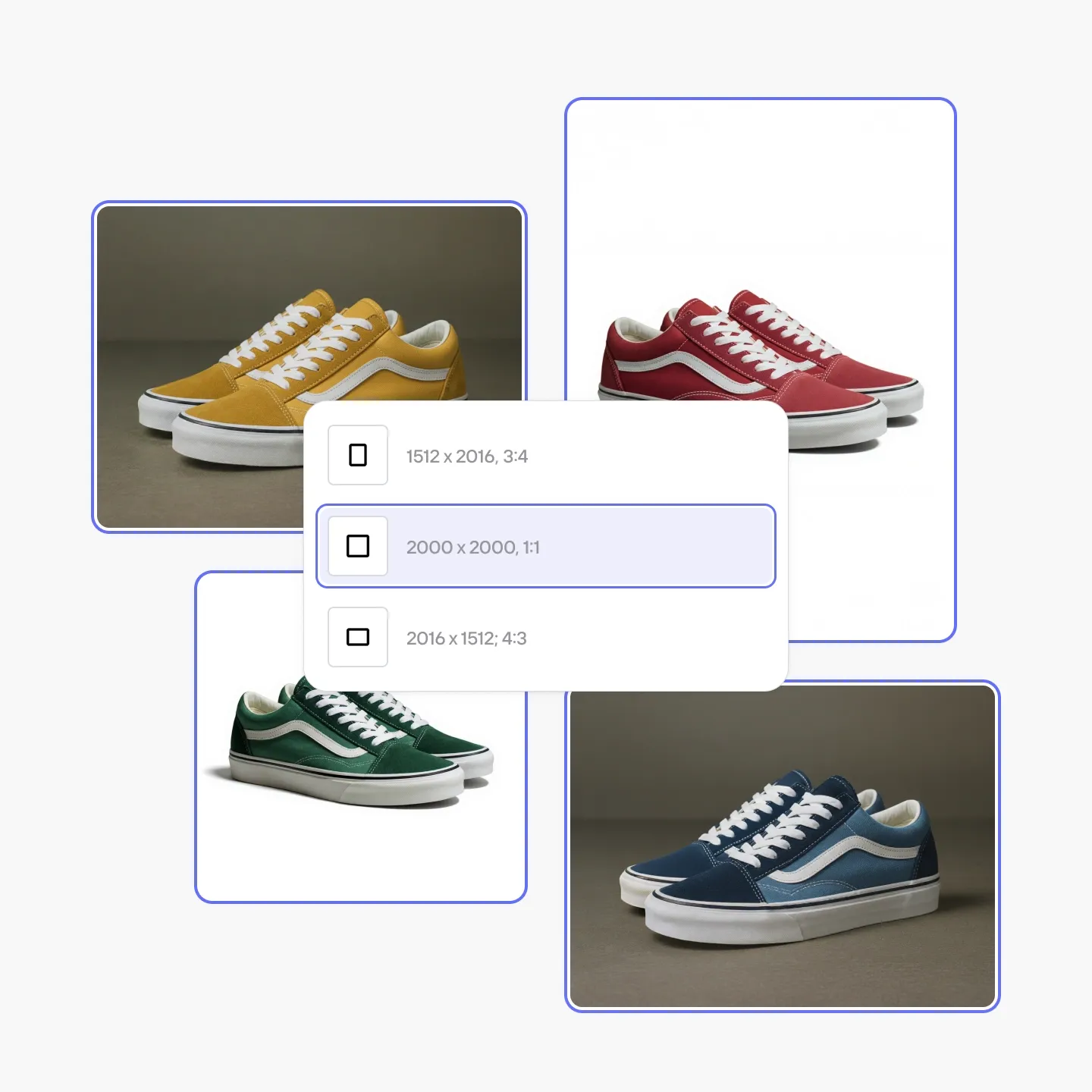

Maintain visual consistency across all listing photos
Consistent product imagery builds store credibility and brand recognition on Etsy. As your inventory expands to hundreds or thousands of items, keeping a unified visual style becomes challenging. PicForge Brand Kit saves your store color palettes, logos, and fonts, ensuring every new listing matches your brand aesthetics.
Try the AI photo editor yourself
How to generate Etsy listing photos at scale with PicForge
Upload and isolate your product image
Upload a product image from your phone or computer. Use our automatic background remover to isolate your item and eliminate distracting backdrops cleanly.
Style, pad, and optimize for Etsy compliance
Place your item in a realistic lifestyle setting using AI background generator and product staging prompts. Add soft AI shadows for realistic grounding, apply centered padding, and scale to at least 2,000 pixels on the shortest side to meet Etsy’s search guidelines.
Batch export and sync with your shop
Export your compliance-ready Etsy images in bulk and upload them directly to your store listings.
Customer success stories
Trusted by top-selling e-commerce brands and Etsy shop owners
"I highly recommend PicForge to e-commerce sellers looking to leverage their brand identity and create personalized visual experiences for shoppers."

- Thomas Israel C.E.O
"I created an Instagram reel using PicForge for our product visuals and it went viral overnight—gaining 67,000 views in 24 hours!"

- Carl Oliver P.A
"Integrating PicForge’s background remover API was seamless. Merging its AI editing capabilities into our digital workflow consistently yields top-tier results for our product catalog."

- Barbara McIntosh M.D
"We focus on three main metrics for visual production: speed, accuracy, and quality. PicForge delivers on all three seamlessly."

- Jill Webb Manager
What image size and formatting requirements does Etsy have for listing photos?
Etsy requires product photos to be in sRGB color format and saved as JPG, PNG, GIF, SVG, or HEIC files (transparent PNGs and animated GIFs are not allowed for main images). Main listing photos must be at least 635 pixels wide, though Etsy strongly recommends images sized at 2,000 x 2,000 pixels or larger. Keeping your primary image square or horizontal prevents awkward automated thumbnail cropping in Etsy search results.
Can I edit my Etsy product photos on mobile devices with PicForge?
Yes. PicForge works smoothly in any web browser on desktop or mobile. Simply upload your product photo, erase the background, and generate custom lifestyle scenes with AI shadows using text prompts—no desktop software or manual Photoshop work needed.
What product categories work best with PicForge for Etsy listings?
PicForge is ideal for top Etsy categories including handmade goods, jewelry, home decor, cosmetics, and accessories. Tools like AI background generator and product staging let buyers visualize decor in real room settings. For apparel sellers, features like flat lay transformation and AI fashion models showcase clothing without costly photoshoots.
How can I scale my product photography as my Etsy store grows?
PicForge streamlines catalog editing by automating background removal, AI staging, and batch formatting. Pro, Max, and Ultra plans allow you to optimize between 500 and 50,000 images per month. For enterprise operations, custom API setups enable processing massive product volumes effortlessly.
Questions about optimizing Etsy listing photos?
Can't find what you are looking for? Contact our support team for custom workflows.
Contact us